15 Sections. One Powerful App.
MusicLaunch™ replaces the patchwork of spreadsheets, browser tabs, and sticky notes with one Mac app designed for independent musicians running release campaigns.
Campaign Management
Plan, execute, and track every phase of your release
Campaign Dashboard
Bird's-eye view of your entire campaign with performance scoring, key metrics, task progress, and quick navigation to every section.
How it works: Campaign DashboardKanban Board & Task Management
Drag-and-drop tasks across statuses. Set priorities, due dates, and manage phases from Foundation through Long-Term Growth.
How it works: Kanban Board & Task ManagementRelease Checklist
A checklist of what your release needs, from audio and artwork to metadata, distribution, press and legal, that you tick off as you go, plus an optional check by your Release Manager of what's still missing.
Campaign Generator
Your Release Manager sets up a complete campaign workflow, with tasks, phases, and timelines tailored to your release.
How it works: Campaign Generator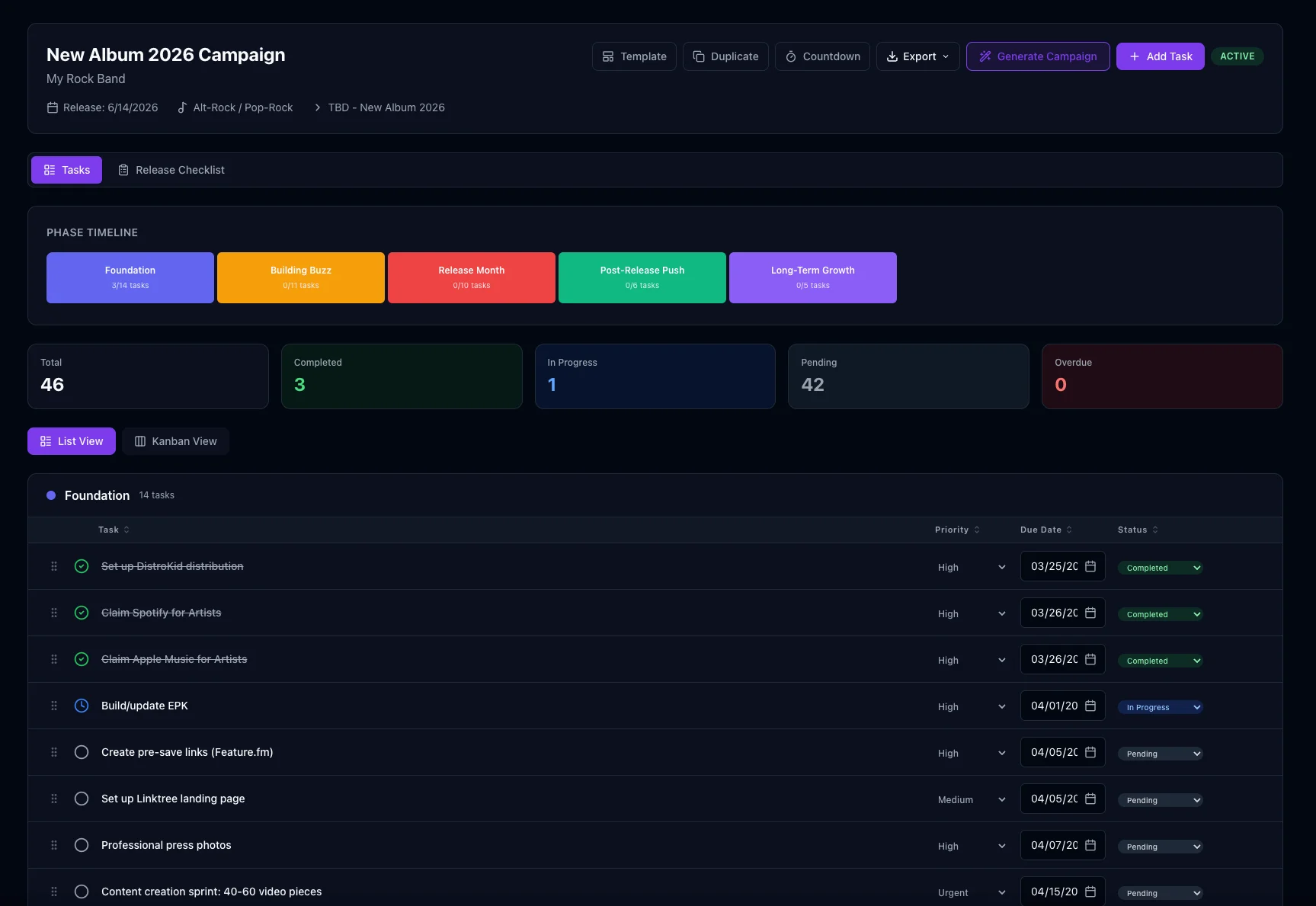
Content & Social
Create, schedule, and track content across every platform
Content Calendar
Monthly calendar view with platform indicators. Schedule posts across Instagram, TikTok, YouTube, Threads, Bluesky, Facebook, and more.
How it works: Content CalendarContent Mix Tracker
Monitor your 70-20-10 ratio — 70% process and personality, 20% community engagement, 10% direct promotion.
How it works: Content Mix TrackerSocial Hub
Multi-platform metrics dashboard, post composer, content recycler, built-in video studio, and content ideas from your Social Strategist — all in one place.
How it works: Social HubBatch Post Wizard
Lay out a run of posts across platforms and dates, attach a photo or video to each, then save them as drafts or schedule them.
How it works: Batch Post Wizard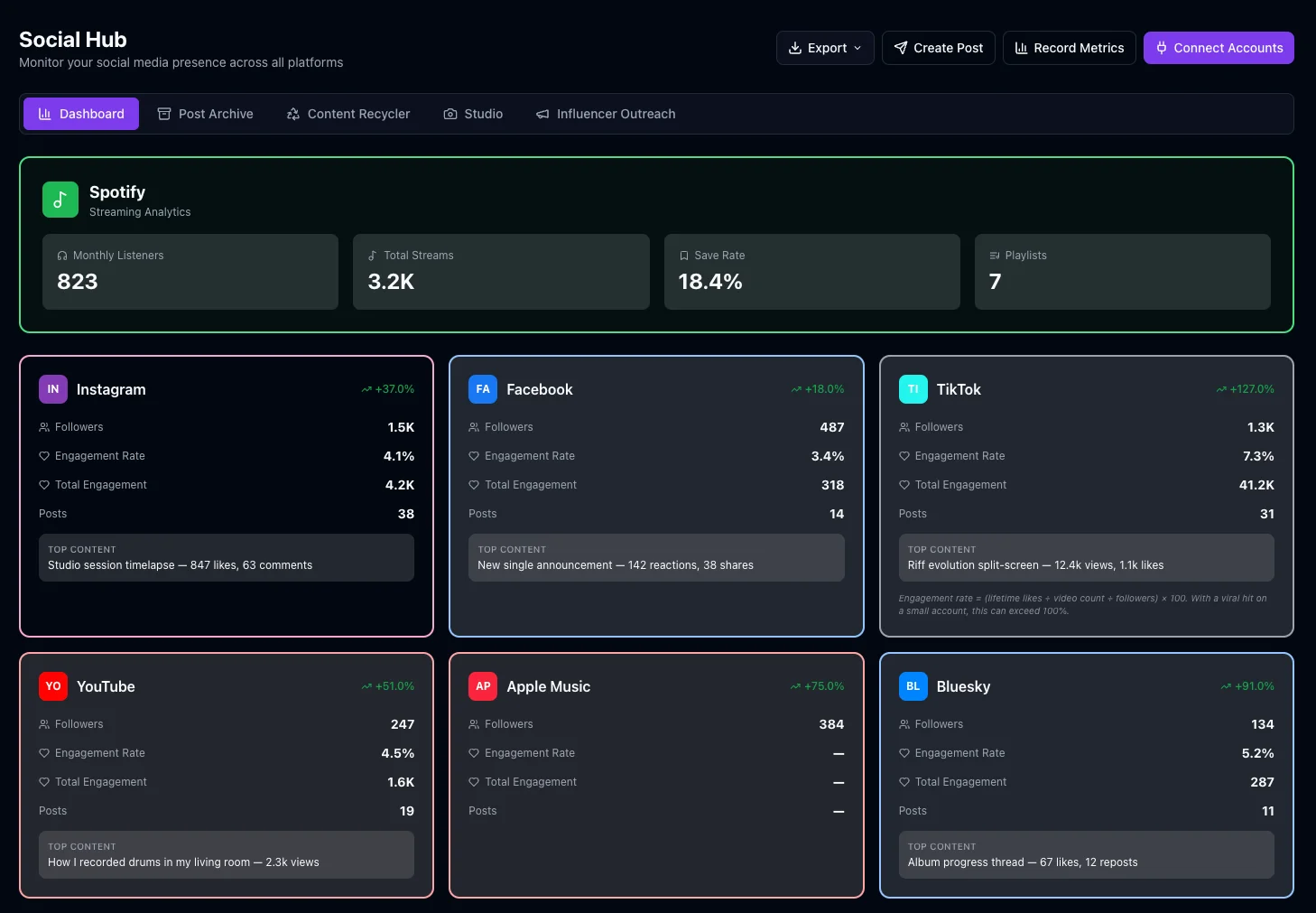
Contacts & Outreach
Build relationships and manage your PR pipeline
Contact Database
Organize press, venues, playlist curators, bloggers, radio, podcasts, and influencers with tiers, tags, and submission tracking.
How it works: Contact DatabaseEmail & SMS Campaigns
Send pitch emails with Gmail integration and manage SMS campaigns. Save and reuse templates for consistent outreach.
How it works: Email & SMS CampaignsLocal Scene Directory
Map your local music ecosystem — artists, venues, promoters. Identify co-bill opportunities and build community connections.
How it works: Local Scene DirectorySmart Import & Deduplication
Import contacts from any source with automatic duplicate detection and merge capabilities.
How it works: Smart Import & Deduplication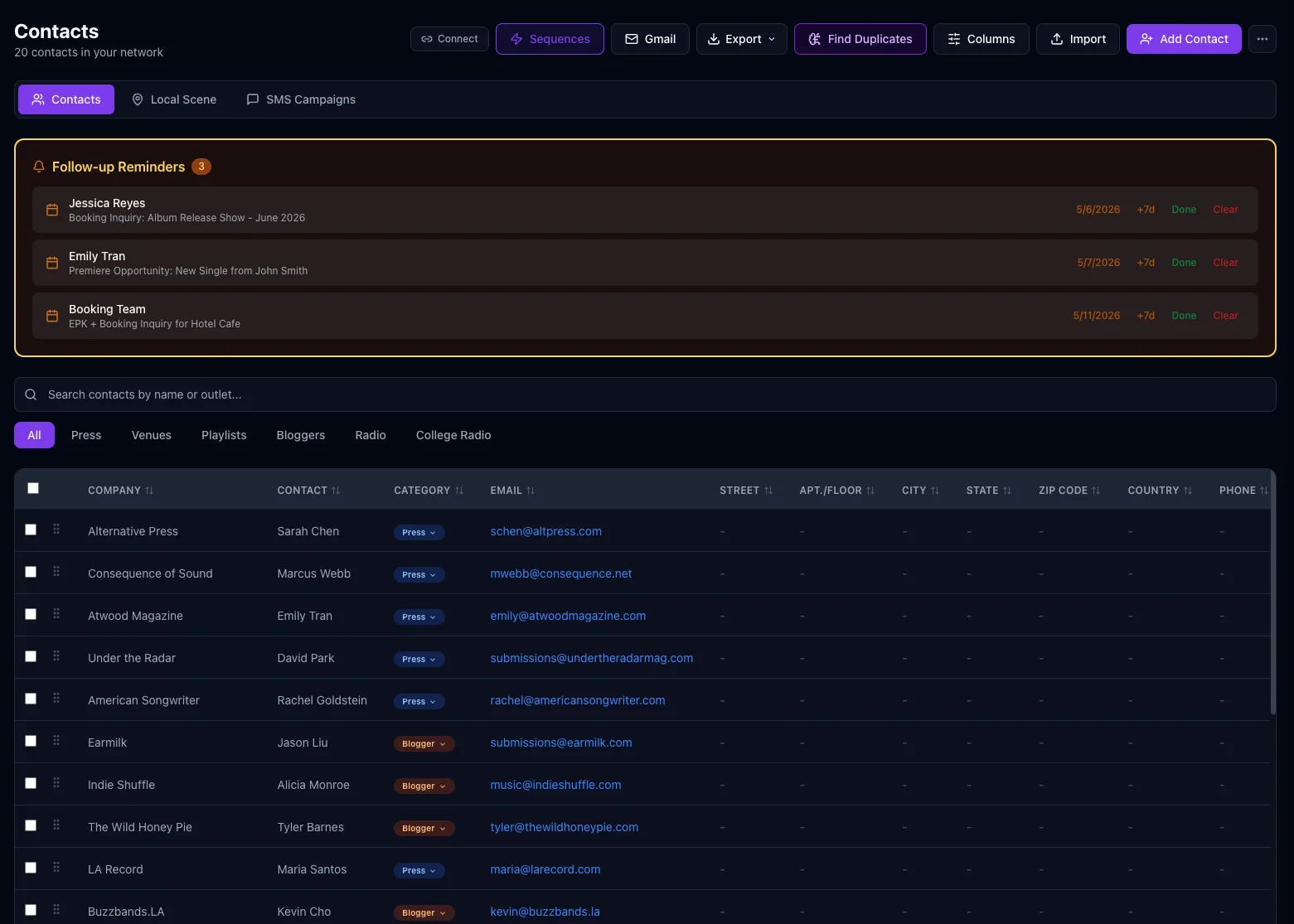
Performance & Budget
Data-driven decisions for your music career
Performance Dashboard
KPI targets with deadline tracking, cross-platform growth trends over time, streaming metrics, and playlist submission tracking.
How it works: Performance DashboardFan Funnel Tracker
Visualize your fan conversion pipeline from awareness to superfan. Set conversion targets and track milestones.
How it works: Fan Funnel TrackerBudget & Financial
Track spending vs. planned budget, revenue sources, ad campaigns, recurring subscriptions, and ROI per channel.
How it works: Budget & FinancialBudget Alerts & Forecasts
See a warning on the Budget page when spending passes the alert threshold you set. Your team's Business Manager projects your spend through campaign end and suggests where to save.
How it works: Budget Alerts & Forecasts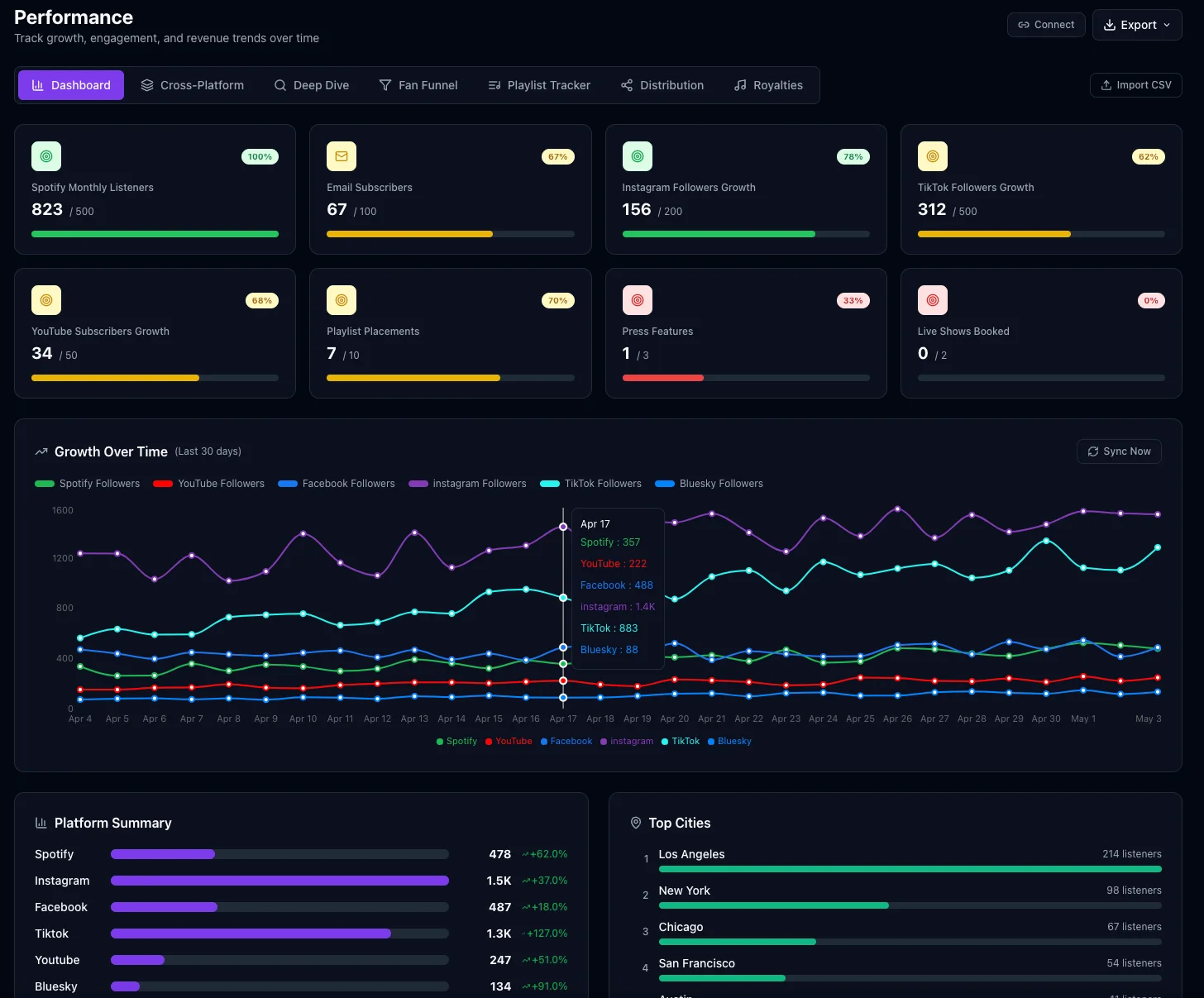
Music Business
The professional tools that separate hobbyists from careers
Sync Licensing Pipeline
Full Kanban workflow for TV, film, ads, and gaming submissions. Track opportunities by category, urgency, and status, and make cue sheets for placements.
How it works: Sync Licensing PipelineCollaborators
Directory of producers, songwriters, engineers, and more, with roles, contact details, and split sheets for each song.
How it works: CollaboratorsProducer's Pad
Track each song from writing to final master, with tasks for every track (recording, editing, mixing, mastering), assignees, and notes.
How it works: Producer's PadGear Inventory
Catalog your instruments and equipment with condition tracking, valuations, price estimates from your Gear Tech, and insurance documentation.
How it works: Gear InventoryMusic Library
Organize your tracks by album with full metadata — BPM, key signature, duration, genre. Upload files, add notes, and keep your catalog in one place.
How it works: Music Library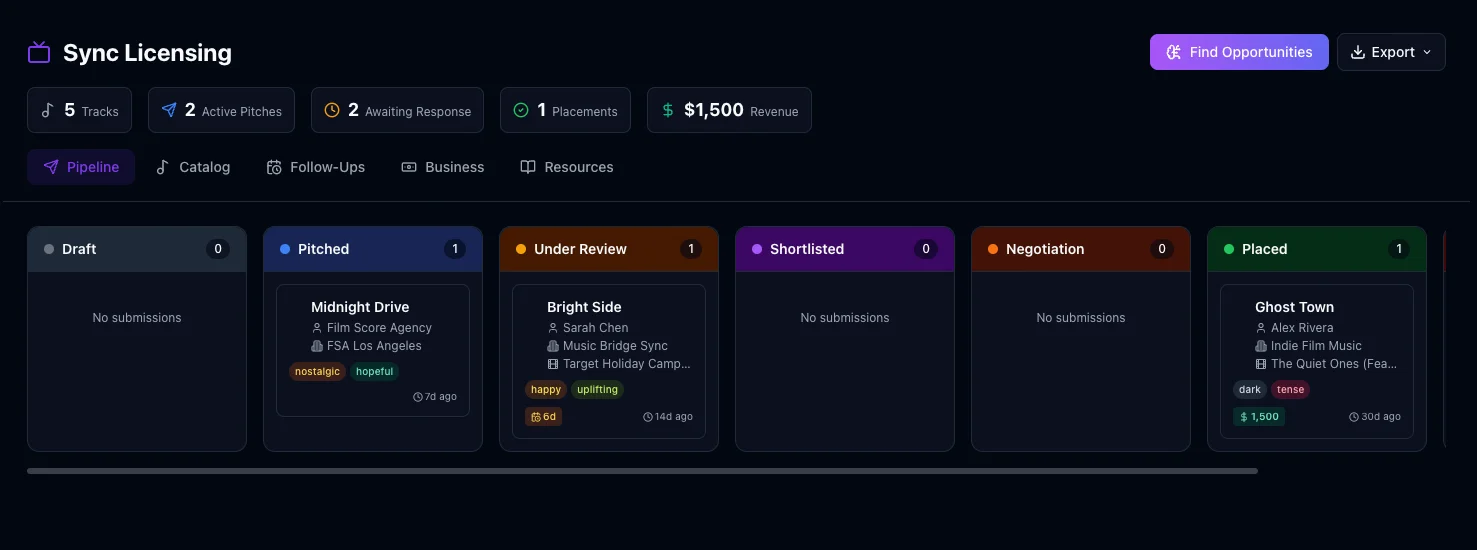
Creative & Promo Tools
Everything for your artist brand and promotional materials
Artist Retreat
A private space, lockable with its own password, with songwriting tools, lyrics, chord sheets, setlists, bios, press releases, and creative notes.
How it works: Artist RetreatSpark Plug New
Record a quick idea from any screen with one click or ⇧⌘I, saved as a 24-bit WAV in Media Hub and ready to drag into your DAW.
How it works: Spark PlugMerch & Promo
Smart links, QR codes and merch mockups, plus flyers from 12 classic templates and 23 genre styles, stickers and pin-back buttons, and name banners for Bandcamp and YouTube.
How it works: Merch & PromoMedia Hub
Centralized library of every file across every section. Search, filter, download, and organize all your assets in one place.
How it works: Media Hub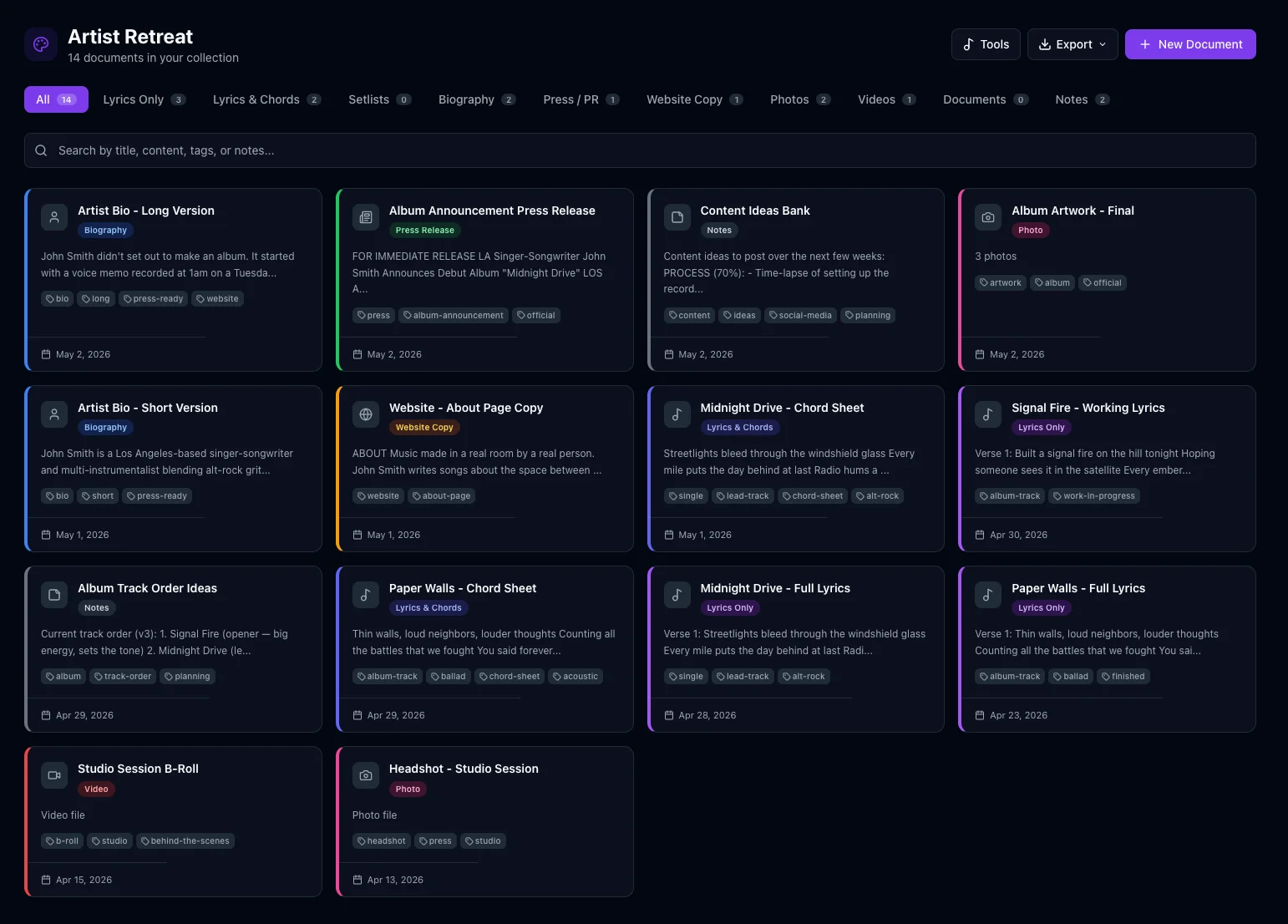
-
Hear something? Click Spark Plug — or press ⇧⌘IShift-Command-I. The button is at the top of every screen. One click starts recording, with nothing to fill in.
-
It's recording. Keep working. Go to any section. A small recorder shows the time and your input level.
-
Stop, and it's saved. Stop & Save stores it right away as a 24-bit WAV, named with the date and time.
-
Find it in Media Hub → Ideas. Play it, rename it, add a note, or link it to a Producer's Pad song.
-
Drag it straight into your DAW. Grab the handle and drop the WAV onto a track, or into Finder.
More Tools Inside
Royalties, press kits, pitch emails, pre‑save countdowns and songwriting helpers
Royalty & Distributor Report Imports
Import the CSV statements from your PRO (ASCAP, BMI, SESAC and others) and the sales reports from DistroKid, TuneCore, CD Baby, RouteNote, LANDR, Ditto, Amuse or ONErpm, then see your earnings by song and country.
How it works: Royalty & Distributor Report ImportsPress Kit (EPK)
Put together an electronic press kit from the bio, press release, photos and links you already keep in MusicLaunch, and save your one-sheet as a PDF or Word file. There's no one-click kit: you choose the pieces.
How it works: Press Kit (EPK)Pitch Email Templates
11 starter pitch emails to read, copy or adapt, plus templates of your own, sent through Gmail with follow-ups you schedule.
How it works: Pitch Email TemplatesPlaylist Pitch Tracker
A log of your playlist pitches with statuses you set yourself, linked to Contacts and the Calendar. It's a manual log: it doesn't detect playlist adds.
How it works: Playlist Pitch TrackerSmart Links With a Release-Day Countdown
A one-page fan page for a release, with a button for each place to listen or buy. Quick Pre-Save adds a countdown to release day around your distributor's pre-save link (MusicLaunch doesn't do the pre-save itself). You export the page as HTML and host it yourself.
How it works: Smart Links With a Release-Day CountdownChord Finder, BPM Delay Calculator & Metronome
In Artist Retreat's Songwriting Tools: a Chord Finder that names the chord you play on the on-screen piano, guitar or a MIDI keyboard, delay and reverb times in milliseconds for any tempo, and a metronome with tap tempo and swing.
How it works: Chord Finder, BPM Delay Calculator & MetronomeMusicLaunch at a Glance: What It Is and Isn’t
Straight answers to the questions people ask first
- What does it run on?
- macOS 12 (Monterey) or later, Apple Silicon or Intel, with at least 4 GB of RAM and 1 GB of free disk space. Windows is not available yet (a Windows version is in the works, with no date), and there is no iPhone, iPad, Android or web version.
- Is it a music distributor?
- It is not a music distributor. It does not deliver releases to Spotify, Apple Music or other stores.
- Does it host a link-in-bio page?
- Smart links are exported as an HTML page for the user to host; MusicLaunch does not put the page online.
- Can several people share it?
- It is a single-user app. There are no shared workspaces, team logins or real-time collaboration.
- Is there a free trial?
- There is no free trial. A license key is needed to use the app. The 30-day money-back guarantee covers the app purchase only.
- Does it work offline?
- Most features work offline; posting, team requests, platform numbers and license checks need an internet connection.
- Is the team required?
- The team is included for the first 30 days after activation. After that, every section of the app still works without a subscription, but the team and its generators need a plan.
- Can the team search the web?
- The team's AI assistants work from the user's own MusicLaunch data and their built-in knowledge of the music business, and do not search the web or look up live information. They never write or shape the music.
Built Into Every Section
Capabilities that work across the entire app
CSV & Excel Export
Most sections export to CSV or Excel; for Google Sheets the app copies the table to paste
Multi-Campaign Support
Manage multiple releases with quick campaign switching
Dark & Light Mode
Full theme support throughout every screen
Privacy & Security
App lock, section passwords, and local data storage
How it works: Privacy & SecurityBackups You Control
Hourly snapshots on your Mac, plus backups to an external drive or a cloud folder you choose
How it works: BackupsPlatform Integrations
YouTube, Instagram, Facebook, TikTok, Bluesky, Gmail, and more
How it works: Platform IntegrationsSearch & Command Palette
Advanced filters in every section, and keyboard shortcuts to jump anywhere
How it works: Search & Command PaletteArtist Profiles
Build and switch between multiple artist profiles — each with its own data and identity
Ready to See It in Action?
MusicLaunch for Mac is available now. Buy it once, own it forever, and run your next release from one place.