
Download MusicLaunch™
The all-in-one release campaign platform for independent musicians. Signed and notarized by Apple, with no installer.
Not on your Mac right now?
MusicLaunch is a Mac app. We’ll email you the link so you can open it on your Mac.
We send one email with the link. Privacy Policy
A license key is required. MusicLaunch is a one-time purchase that works on one Mac at a time. Your key arrives by email right after you buy, with the subject “Your MusicLaunch License Key”.
MusicLaunch is Mac only for now. On a Windows PC? Get one email when the Windows version is ready.
What’s Inside MusicLaunch
Campaign Dashboard
Kanban boards, task management, release checklists, and phase planning.
Content Calendar
Plan and schedule posts across 10+ platforms with the 70-20-10 rule.
Contacts & PR
Manage press, curators, bloggers, and venues with Gmail integration.
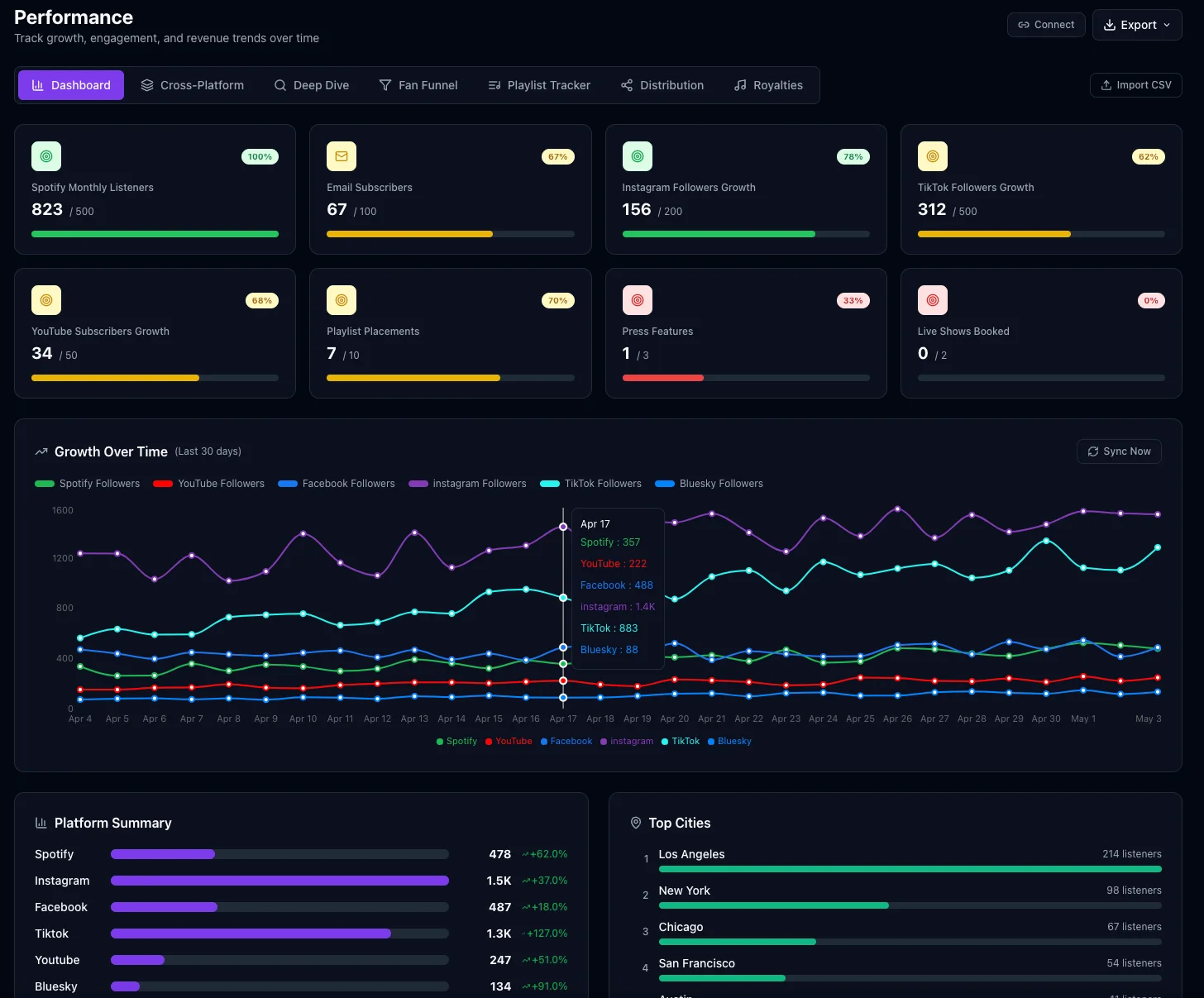
Performance Dashboard
KPI tracking, growth trends over time, and playlist submission tracking.
Sync Licensing
Track submissions for TV, film, ads, and gaming with a full Kanban pipeline.
Your Release Team
15 roles, one for every section — press releases, strategy, split sheets.
Inside the App
MusicLaunch brings your entire release campaign into one powerful desktop app.
System Requirements
macOS
- macOS 12 (Monterey) or later
- Apple Silicon (M1/M2/M3/M4) or Intel
- 4 GB RAM minimum
- 1 GB available disk space
Windows
Mac only for now. A Windows version is in the works.
Leave your email and we’ll send you one email when it’s ready.
One email, nothing else. Privacy Policy
After You Install: Back Up Your Mac
MusicLaunch keeps your data on your Mac, not in the cloud. We don’t have a copy, so we can’t recover it if your Mac is lost or breaks.
Turn on Time Machine. Then keep a second copy somewhere else, like an external drive, or iCloud Drive or Google Drive if you’re comfortable keeping your data there. You’ll find it all in Settings → Data Backup.
How to back up MusicLaunch →